 LittleDrop
Feeding and growth.
In one tap.
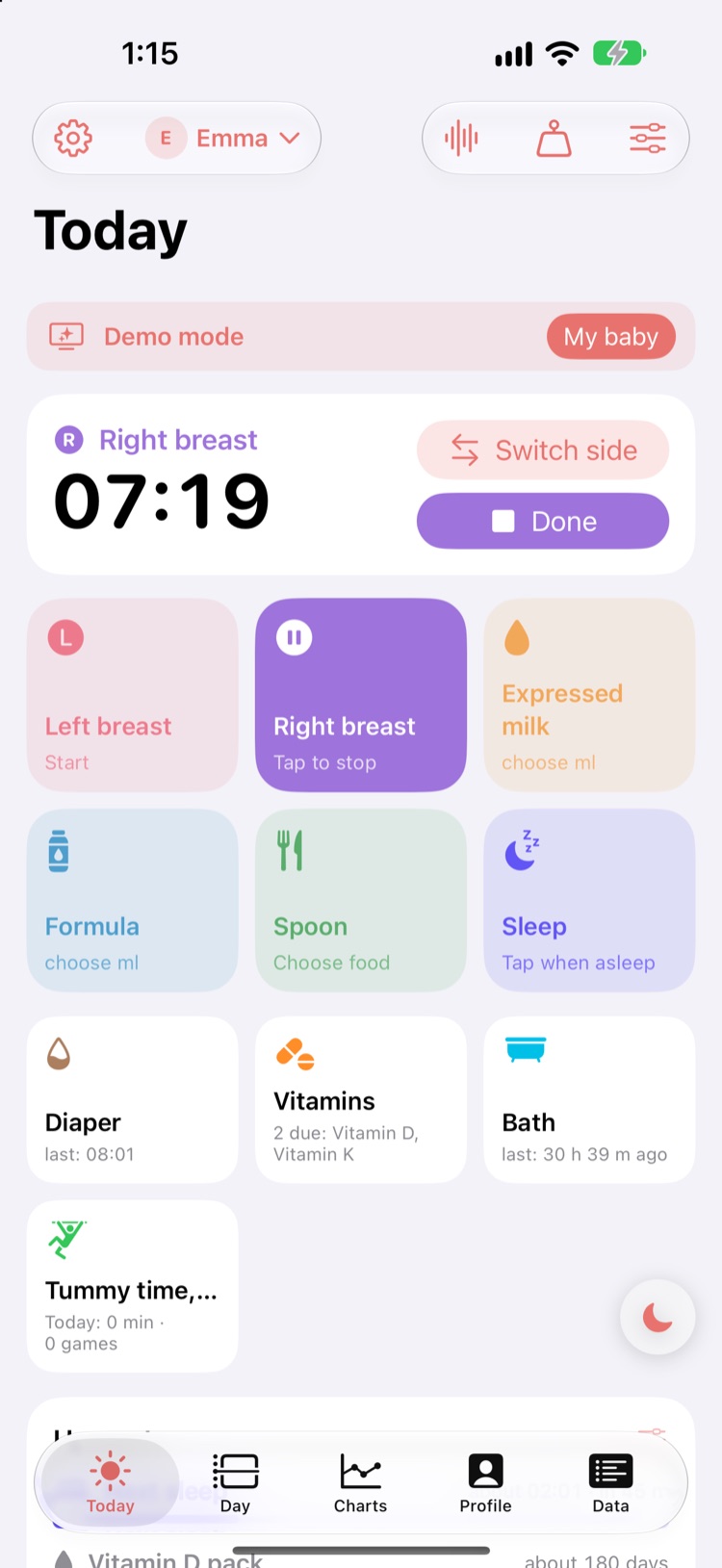
LittleDrop is made for life with a newborn: left or right breast, bottle, spoon — one touch and the timer runs. WHO growth charts show how your baby grows, and what helps most.
- No ads
- No account, no server
- WHO 2006 standards
Everything you need — in modules you can switch on
One tap
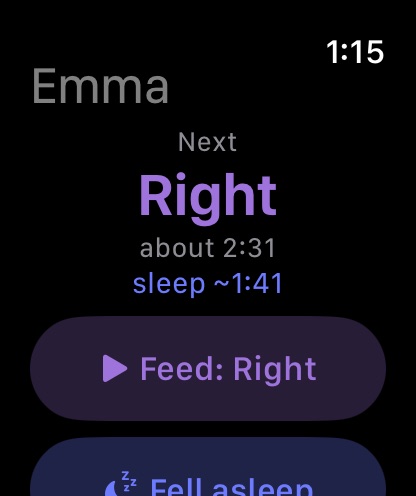
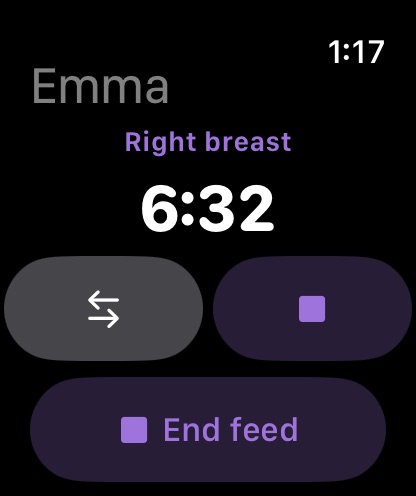
Left, right, expressed milk, formula, spoon. The suggested side is always shown, the timer runs by itself, and past feeds can be added later.
Lock Screen and Dynamic Island
A running feed stays on the Lock Screen — with Switch side and Done, no unlocking.
Start without your phone
So the baby stays asleep: double tap on the watch, the Action button, Back Tap, an NFC sticker on the chair, a Bluetooth button or a whispered Siri. Add the side afterwards with one tap.
Widgets: Up next and Today
On iPhone, the Lock Screen and Apple Watch: next feed and side, next nap or expected wake-up, and today's story as bars with totals.
WHO charts you can actually read
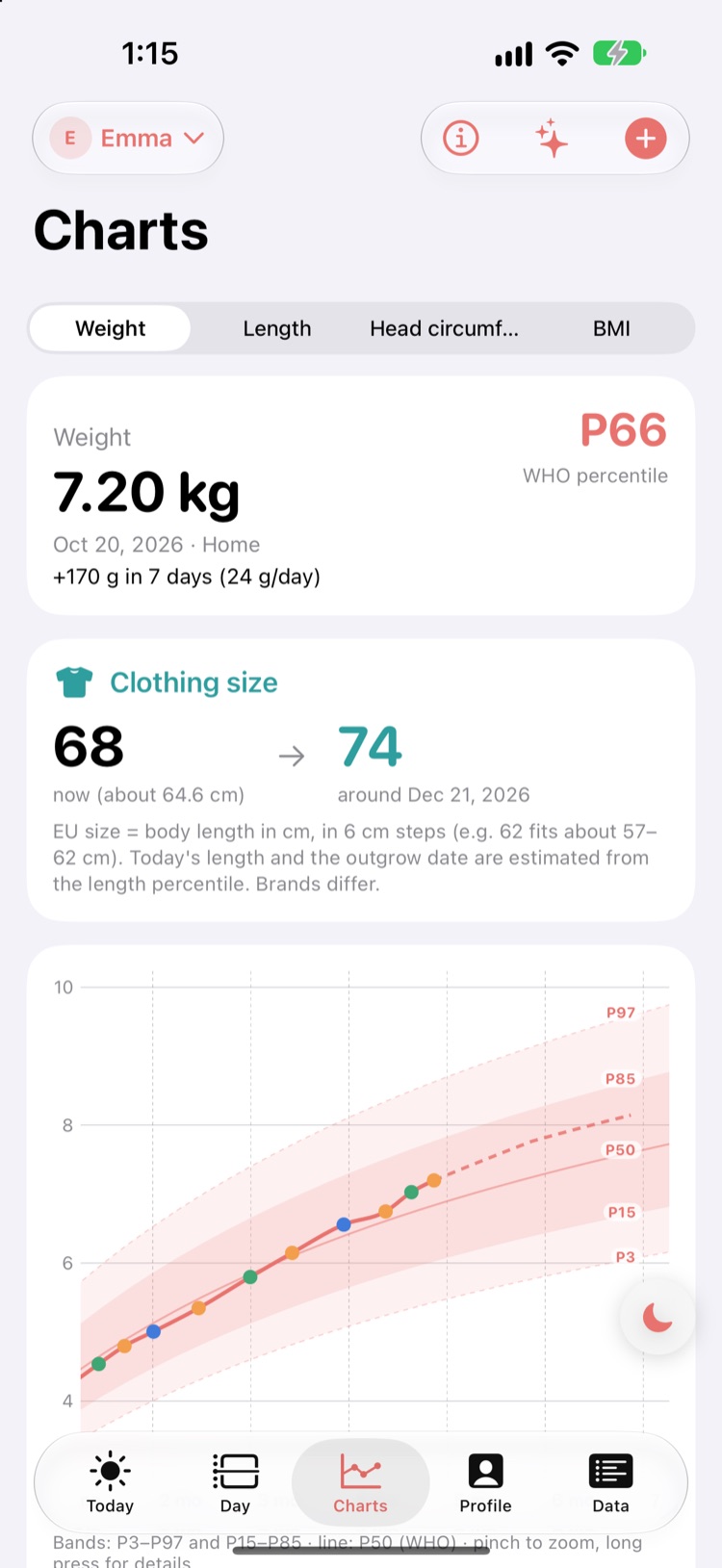
Weight, length, head circumference and BMI with P3–P97 labels, pinch to zoom, optional projection, corrected age for preemies.
What helps growth most?
Week by week, LittleDrop compares feeding with growth and ranks what moves together with weight gain the most.
Clothing size ahead
Shows today's clothing size and roughly when your baby will outgrow it — before you go shopping.
Diapers
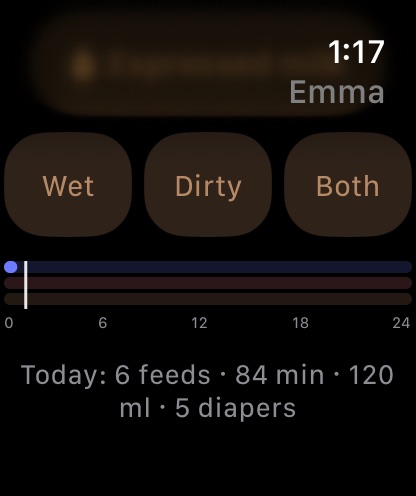
Wet, dirty, both: one tap in the app and on the watch, with a daily total.
Night mode
One button on every screen: dark UI, dimmed screen, warm filter. Switches by itself in a dark room.
Soothing noise
White, pink and brown noise with a sleep timer and gentle fade-out — generated on the phone, plays with the screen off.
One PDF for the doctor
Choose whose measurements go in (nurse, doctor, home) and whether the source is shown. CSV too.
Siblings and past records
Several children in one app; paste earlier measurements from Excel. Sources and methods in the app, with WHO links.
Only on your phone
No sign-up, no server of ours. Back up to iCloud Drive when you choose; share a child with the other parent through your own iCloud. Free demo mode with sample data.
Sleep and day view
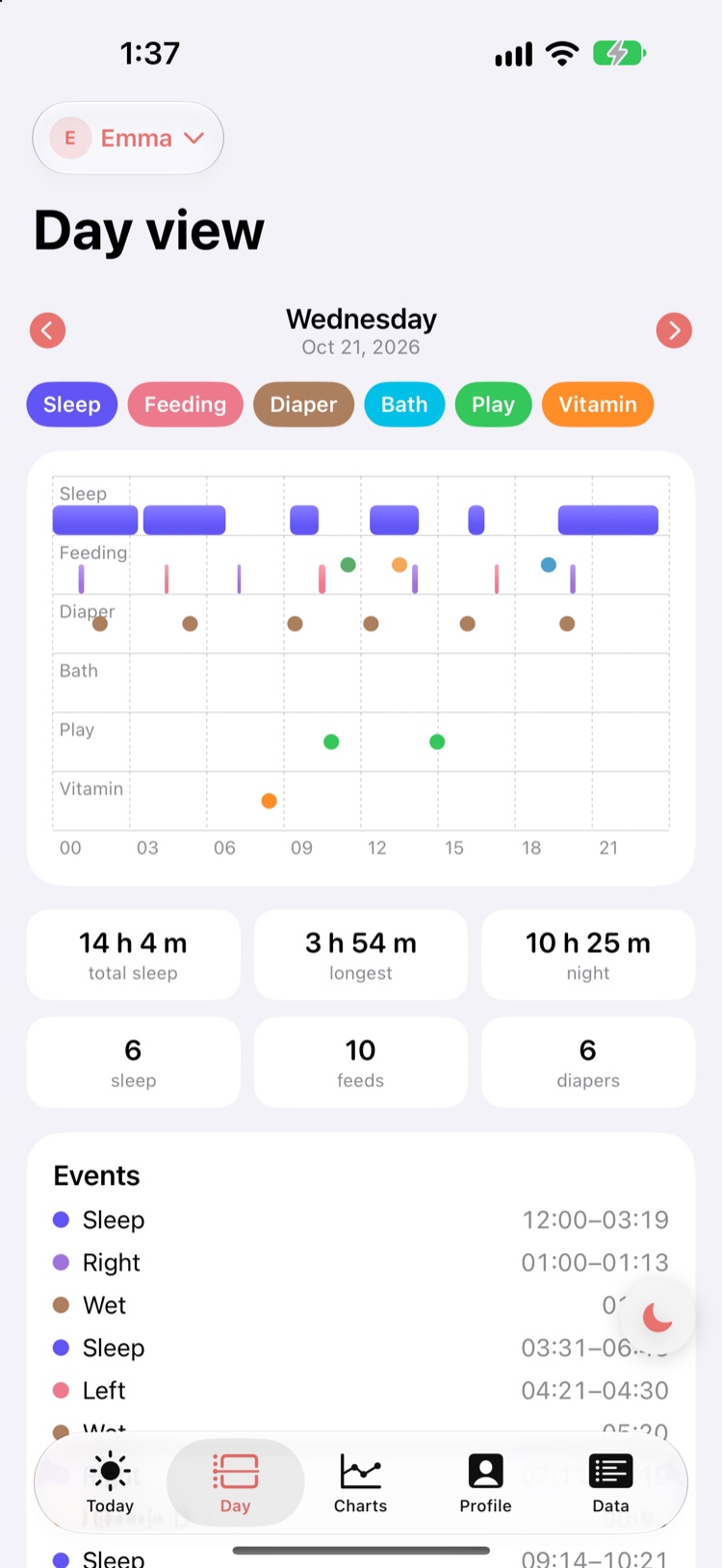
Sleep log, expected wake-up and next feed as burn-down bars, and a day timeline of sleep, feeds and diapers you can page back through.
Two parents, one log
Share with your partner through Apple's own iCloud sharing — no server of ours.
Milestones, vaccines, vitamins
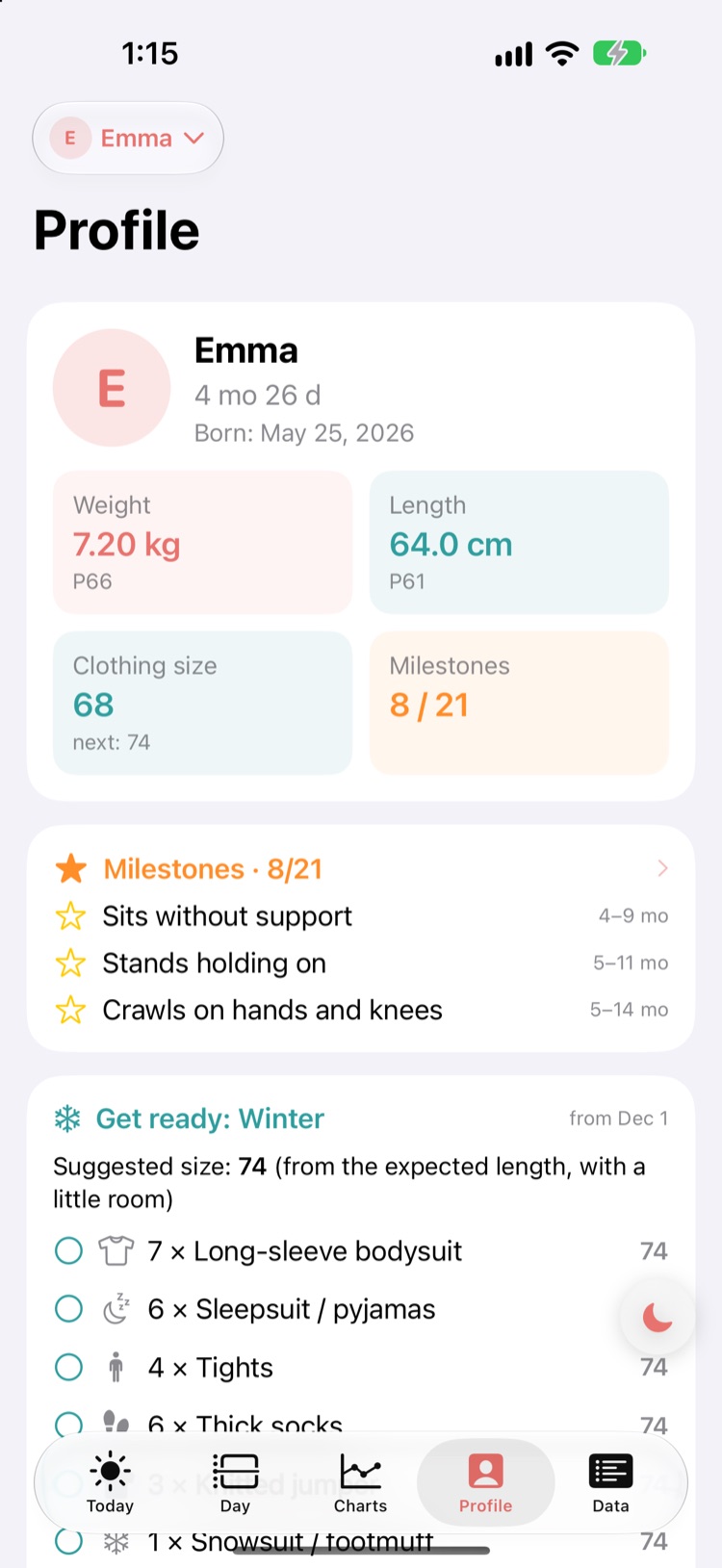
WHO and CDC milestones, a vaccine list from your country's schedule into your calendar, vitamin D, K or any supplement with its own dose, diaper stock running down — as switchable modules.
Profile, play, wardrobe
Your baby at a glance, tummy time and play ideas to tick off, and next season's wardrobe list with size hints.
Everything editable
On the Data tab every feed, nap, diaper and measurement can be fixed or added later, with daily averages. Health log (medicine, illness, fever) and baths too.
20 languages, kg or lb
Pick the language in Settings; the watch and widgets follow. Metric or imperial units, with US clothing sizes.
On your wrist, even in the dark
At night your phone can stay on the table: one tap on the watch (or a double pinch) starts the suggested side, and today's bars are right there too. Watch-face widgets show the next feed and nap.
Pay once. That's it.
The baby months don't last forever — neither should a subscription.
- 14-day free trial with every feature
- No ads, no subscription, no locked modules
- Family Sharing: one purchase for both parents
- iPhone, Apple Watch and widgets
- Free demo mode with sample data
Your baby's data is not data on a server
LittleDrop collects nothing. No account, no analytics, no advertising ID. What is on your phone stays there — backups are made by you, wherever you like.
Questions
Is LittleDrop a medical device?
No. It compares and visualises against the WHO 2006 growth standards but does not diagnose. Your health visitor or doctor is the right partner for questions.
What if I get a new phone?
Your iPhone's iCloud backup includes the app, and you can save a backup file to iCloud Drive at any time to restore everything.
Can both parents use it?
Yes. Share a child from Settings; the other parent accepts the invitation, and whatever either of you logs appears on the other phone within seconds — through iCloud, with no account of ours.
Can I import earlier measurements?
Yes. Copy the rows from Excel or Numbers and paste them; LittleDrop recognises date, weight (kg or g), length and head circumference.
What is demo mode?
Try everything with sample data before adding your own baby. It runs completely separately from your own records.